Hide Your Login. Stop Bots Cold.
Your default /wp-login.php is the easiest attack vector for bots. WP 1 Click LockDown lets you mask it with a custom URL, making your site invisible to automated attacks while keeping everything working perfectly.
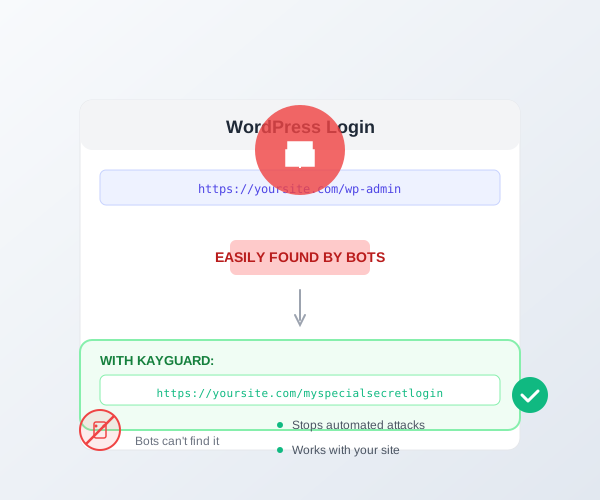
Hide Your Login. Stop Bots Cold.
Your default /wp-login.php is the easiest attack vector for bots. WP 1 Click LockDown lets you mask it with a custom URL, making your site invisible to automated attacks while keeping everything working perfectly.
One-Click Setup
Choose a custom login URL in seconds. No redirects to configure, no code changes needed.
Completely Transparent
Legitimate users and plugins work seamlessly. Admin redirects work correctly.
Brute Force Throttling
Limit login attempts to stop automated password guessing attacks.
Email Notifications
Get alerted when suspicious login activity is detected.
The /wp-login.php Vulnerability
Why It's Targeted
- Every WordPress site has it at the same URL
- Bots can scan millions of sites looking for it
- Once found, brute force attacks can begin immediately
- No warning to site owners during attacks
WP 1 Click LockDown's Solution
- Custom URL that only you know
- Bots can't find what they can't see
- Complete transparency to legitimate users
- One-click setup, zero configuration
Brute Force Protection Features
Failed Attempt Limits
Set how many failed login attempts are allowed before temporary lockout. Default is 5 attempts.
Lockout Duration
Control how long an IP is locked out after reaching the limit. Default is 15 minutes.
Email Notifications
Get alerted immediately when an IP is locked out. Know about attacks as they happen.
Whitelist IPs
Add trusted IPs to bypass login throttling. Perfect for office networks or regular contributors.
Common Questions About Login Masking
Will it break my theme or plugins?
No. The custom login URL is handled at the WordPress core level using rewrite rules. All admin functionality remains intact.
What if I forget my custom login URL?
You can always access the security settings from wp-admin with your current URL. You can also use database access to reset it if needed. We also recommend bookmarking your custom login page.
Can I change the custom URL anytime?
Yes. You can change your custom login URL at any time from the WP 1 Click LockDown settings. The old URL immediately becomes inaccessible.
Does the default /wp-login.php still work?
No. Once you set a custom URL, the default /wp-login.php returns a 404 error. This completely hides the login form from bots.
Will this affect login recovery emails?
No. Password reset and login recovery emails work normally. The custom URL handles all login functionality transparently.
Your Next WordPress Hack Isn't Inevitable
Stop waiting for disaster. Get WP 1 Click LockDown installed in 60 seconds and start protecting your site today.
Trusted by these site owners: